
Weav.AI — Redesigning the Underwriting Copilot Experience
Overview
Weav.AI’s Underwriting Copilot helps insurance underwriters make faster, data-backed decisions by transforming complex AI insights into a clear, explainable workspace.
By combining transparent AI reasoning with human-centered design, the new interface rebuilds trust, cuts review time, and brings clarity to one of the most data-heavy workflows in insurance.
Underwriting is a complex, multi-system process that demands precision and trust.
I redesigned Weav.AI’s Copilot to make AI-driven risk analysis transparent, explainable, and reliable for underwriters making multimillion-dollar decisions.
Timeline:
June – August 2024 (10 weeks)
Role:
Founding UX Designer
Team:
1 PM, 2 Engineers, 1 Data Scientist
Tools:
Figma, Miro, ChatGPT API, Notion
Problem
Underwriting workflows were fragmented, manual, and hard to trust.
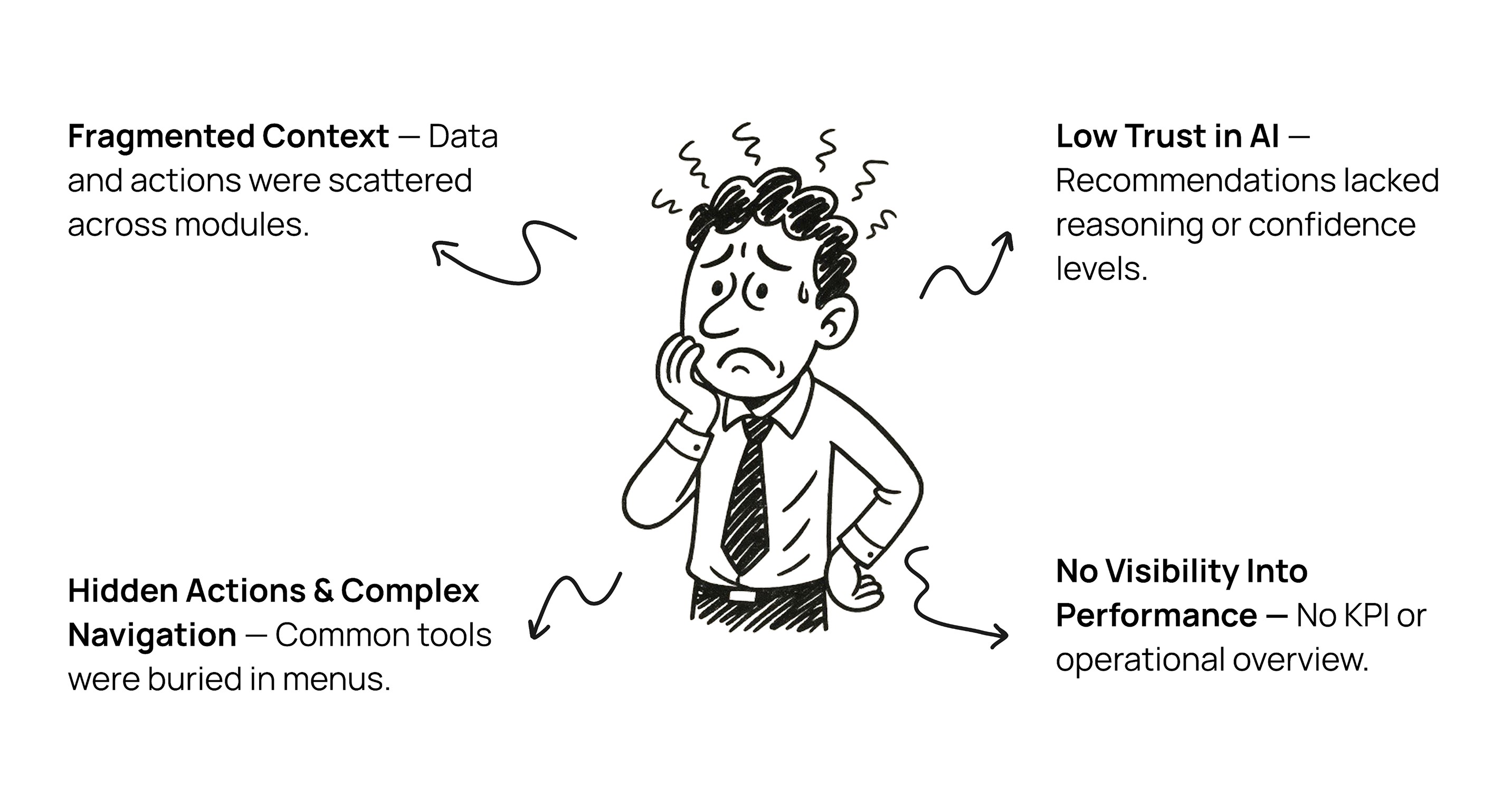
Although Weav.AI’s Copilot automated data processing, underwriters couldn’t see how AI generated its recommendations—leading to confusion, low adoption, and redundant manual reviews.
But Who are Underwriters?
Underwriters are the primary users of Weav.AI’s Copilot — professionals who evaluate insurance applications, assess risk, and decide policy outcomes.
Their work demands precision, accountability, and confidence. Each decision involves millions of dollars and strict regulatory scrutiny. They analyze hundreds of data points to determine eligibility and pricing, often across disconnected systems and tight deadlines.
Because of this, underwriters value tools that are transparent, reliable, and easy to interpret — qualities that became central to Weav.AI’s redesign.
Business goals
Improve underwriting efficiency by 20%.
Increase user adoption and trust in AI-generated insights.
Provide transparency and compliance across workflows.
Design goals
Simplify complex data into clear, scannable layouts.
Make AI reasoning visible and easy to understand.
Create a seamless, unified workspace.
Research
To uncover friction points, I conducted:
15 user interviews with commercial P&C underwriters.
4 contextual observations of live underwriting sessions.
Collaborative workshops with data scientists to understand AI logic.
Key findings:
68% of underwriters’ time was spent searching for or cleaning data.
The AI felt like a “black box” — users couldn’t see how recommendations were made.
No clear flow connected intake → analysis → decision → documentation.
Insight:
Underwriters don’t just need automation; they need clarity and control over how AI assists them.
Research Insights
Underwriters don’t just need automation; they need clarity and control over how AI assists them.
Key Problems
Key Assumptions
Design Journey
Design Solutions & Key Improvements
File Workspace Redesign
Redesigned into scannable cards with visual hierarchy, status indicators, and quick-action controls.
File Workspace Redesign

Before
Dense table layout made it hard to scan information or track file status quickly.
File Workspace Redesign

After
Improving Visibility and Control in Chat Workflows
Key agent actions like Clear Chat, Config, and Logs were hidden inside menus, making them hard to find.Users had to switch screens and lose context to perform simple tasks.
File Workspace Redesign

Before
Introduced visible action buttons and a searchable agent dropdown for instant access.Simplified the layout to improve focus, reduce clicks, and speed up workflows by 45%.
File Workspace Redesign

After
Beyond Redesign — New Additions
KPI Overview Dashboard
Added a performance dashboard to give teams real-time visibility into key underwriting metrics and progress toward goals.
File Workspace Redesign

Agent Configuration Dashboard
Designed a centralized interface to search, manage, and update AI agents — improving scalability, discoverability, and maintenance efficiency.
File Workspace Redesign

Centralizing Submission Information
Unified scattered data into a single detailed view, helping underwriters evaluate risk and act faster with complete context.
File Workspace Redesign

Microinteraction Highlight — Improved File Actions
The redesign didn’t stop at static layouts. I refined the microinteractions within the file workspace to make everyday actions feel natural, intuitive, and satisfying. These small UI behaviors reinforced clarity and confidence during high-frequency workflows.
Impact
Task Completion Time
12.4 min
9.8 min
↓ 23%
AI Insight Adoption
61%
75%
+14%
Revenue Efficiency
-
-
29%
Agent Satisfaction
6.2%/10
8.7/10
2.5 pts
Reflection
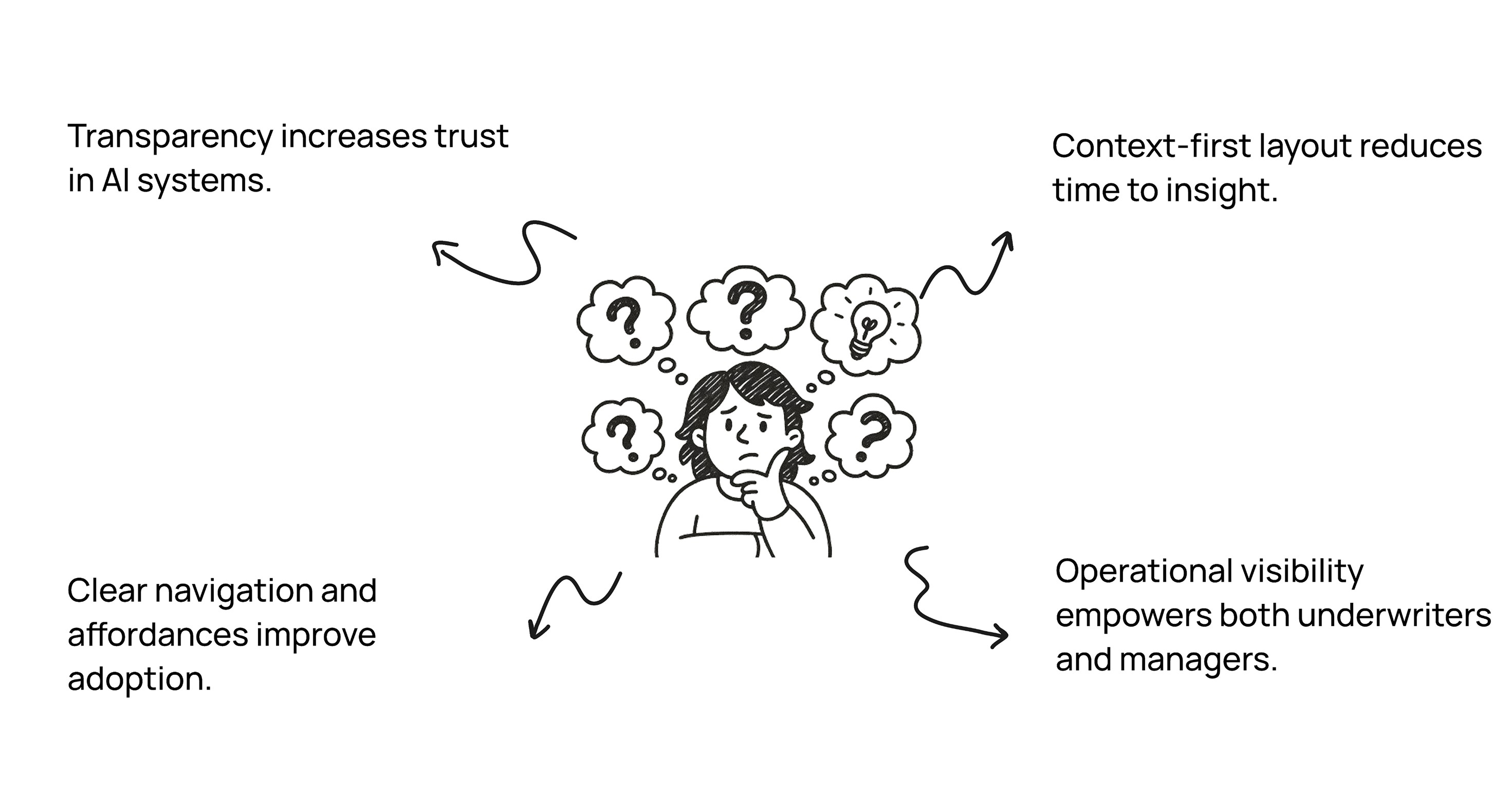
This project reminded me that trust in AI is built through transparency and context, not just automation. Balancing technical depth with usability required constant collaboration with data scientists and engineers. If I were to iterate further, I’d refine the onboarding experience and integrate performance analytics for deeper usage insights.
Next Steps
Extend Co-Pilot to mobile for on-field support agents.
Introduce proactive AI suggestions based on real-time triggers.
Measure long-term adoption trends via analytics dashboards.
Takeaway
By grounding the design around context, clarity, and confidence, Weav.AI’s Co-Pilot transformed from a passive dashboard into an intelligent assistant — empowering agents to act faster, trust AI, and work smarter.